
Question and Problem on E-Ticket
There is no QR Code shown on my E-Ticket in My Wallet. What should I do?
If there is no QR Code shown in E-Ticket, this means you have filled in the email registered for Eventpop account on the ticket. Therefore, the E-Ticket will be automatically transferred to his/her account. We recommend you log in to the account registered with that email to check your E-Ticket.
In case you buy ticket for other person, you can inform them to log in to the account registered with that email.

Do I need to verify my email to complete my account?
If you haven't verified your email to complete your Eventpop account and want to check the E-Ticket QR Code or transfer/receive an E-Ticket, you must verify your email.

I want to edit the information on the E-Ticket. What should I do?
Normally, the organizer doesn't allow you to change the name of the ticket holder. However, if you want to do it, please contact Customer Support. The staff will check the condition of the event with the organizer
Editing the misspelled information such as name of ticket holder, email, mobile phone number, etc. after making order depends on the conditions of the organizer. Please contact Customer Support. The staff will check the condition of the event with the organizer.
Question and Problem on E-Ticket
There is no QR Code shown on my E-Ticket in My Wallet. What should I do?
If there is no QR Code shown in E-Ticket, this means you have filled in the email registered for Eventpop account on the ticket. Therefore, the E-Ticket will be automatically transferred to his/her account. We recommend you log in to the account registered with that email to check your E-Ticket.
In case you buy ticket for other person, you can inform them to log in to the account registered with that email.
Do I need to verify my email to complete my account?
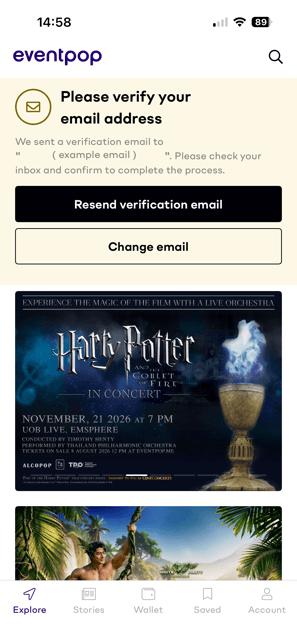
If you haven't verified your email to complete your Eventpop account and want to check the E-Ticket QR Code or transfer/receive an E-Ticket, you must verify your email.
I want to edit the information on the E-Ticket. What should I do?
Normally, the organizer doesn't allow you to change the name of the ticket holder. However, if you want to do it, please contact Customer Support. The staff will check the condition of the event with the organizer
Editing the misspelled information such as name of ticket holder, email, mobile phone number, etc. after making order depends on the conditions of the organizer. Please contact Customer Support. The staff will check the condition of the event with the organizer.